Bruno vs Postman: Which API Client Should You Use in 2026?
Postman dominated API testing for years, and for good reason. It covers almost every part of the API workflow, from manual testing to automation, documentation, and team collaboration.
Bruno shows up with a different philosophy. It keeps collections local, treats requests like files in your project, and fits naturally into a Git workflow without requiring a cloud account.
Most teams end up deciding based on a few practical factors: how much they rely on Git for review and versioning, who needs access to the collections (developers only or the wider team), performance on daily use, and security or data residency constraints. This guide compares Bruno and Postman across the areas that tend to matter in real production work.
What Is Bruno?
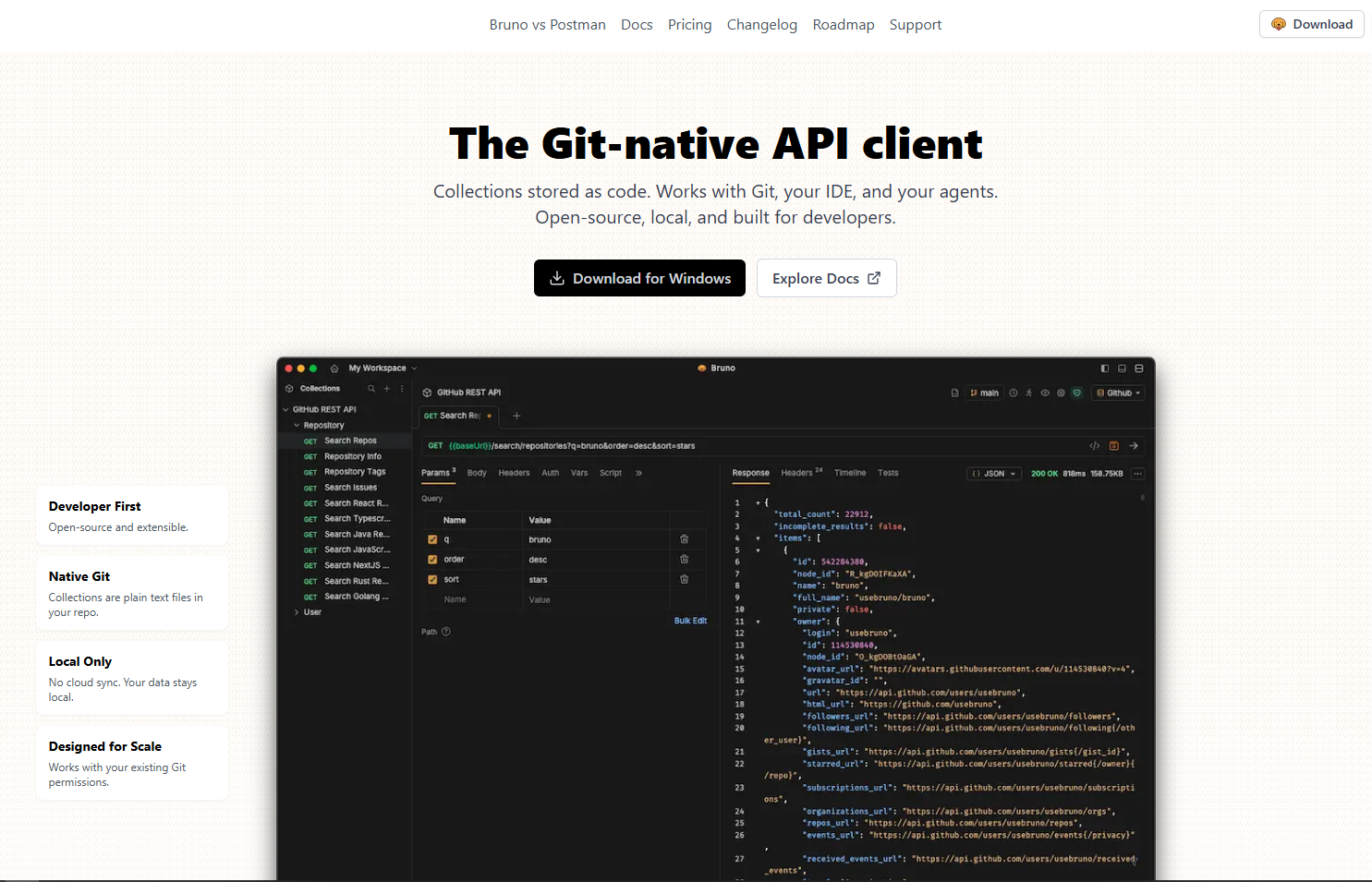
Bruno is a lightweight API client that keeps everything local. There is no mandatory cloud account, no background sync, and no login wall on first launch.
Collections are saved as plain text files inside your project folders. That means API requests can live alongside source code, go through pull requests, and be rolled back through Git history just like any other change.
It is open source, starts fast, and stays deliberately focused on the core workflow of sending requests and inspecting responses.
Download: Bruno
What Is Postman?
Postman needs very little introduction. It started years ago as a simple Chrome extension for testing REST endpoints and grew into a full platform for API development.
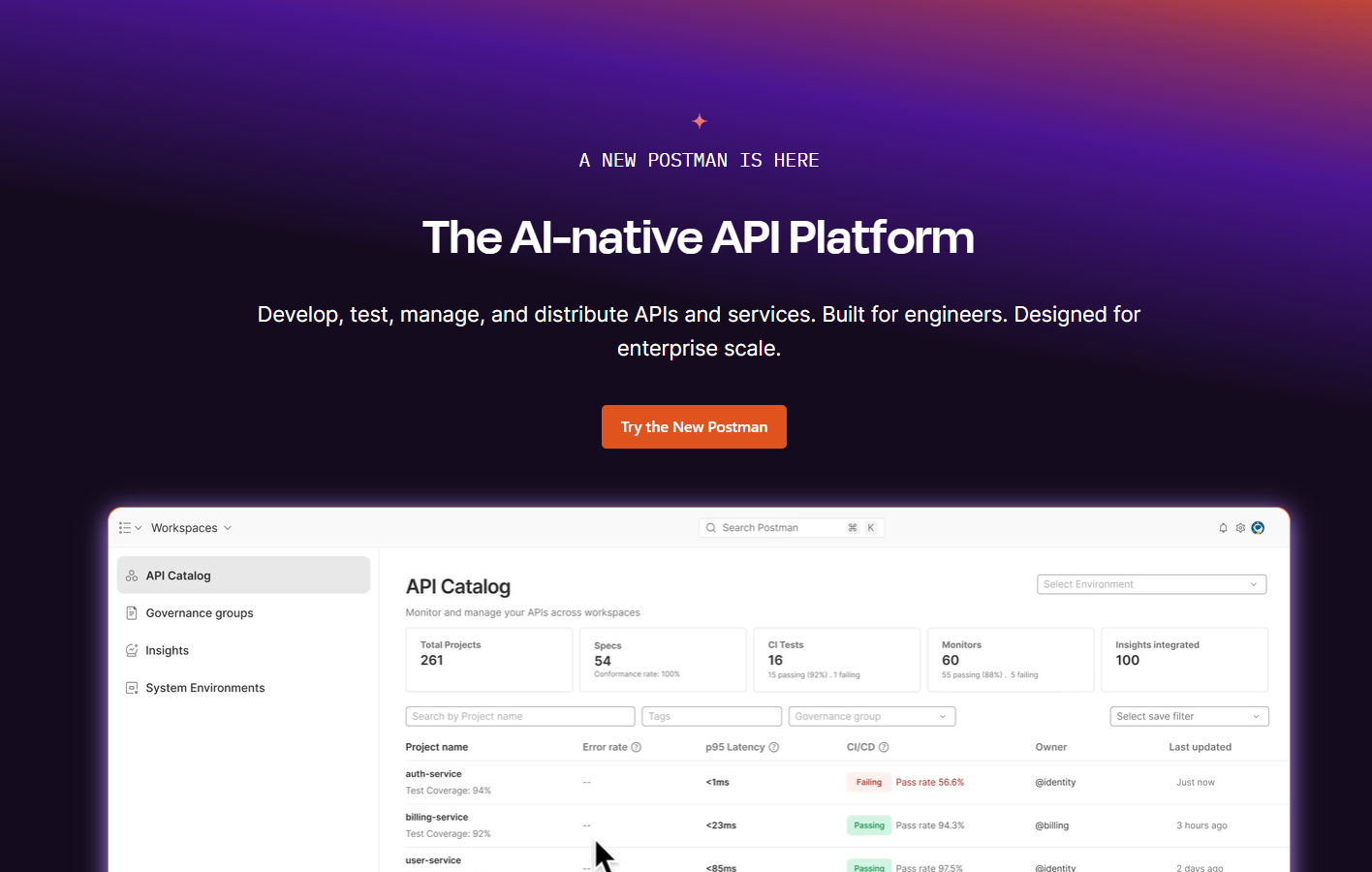
Today it can organize collections, run JavaScript tests, generate documentation, configure mock servers, monitor endpoints, and support collaboration through cloud workspaces. It also supports REST, GraphQL, SOAP, WebSocket, and gRPC.
The tradeoff is weight. The desktop app has grown over time, and some features that used to be free now sit behind paid plans.
Download: Postman
The Core Difference Between Bruno and Postman
The core difference is architectural, and it shapes everything else.
Bruno treats API collections as files on your local file system. You own them, store them in your repo, and review changes through Git like any other part of the codebase.
Postman is built around cloud workspaces. Collections typically live in Postman workspaces (unless you export them), which makes sharing, onboarding, and collaboration easier for teams that want a central place for API work.
Neither approach is universally better. Git heavy teams that want local control tend to prefer Bruno. Teams that value shared workspaces, fast onboarding, and built in documentation usually lean toward Postman.
Interface and Usability
How Bruno Feels to Use
Bruno opens into a clean interface. There is no account onboarding flow and very little visual noise, which makes it easy to focus on the request and the response.
The app is fast to load and stays out of the way. Collections are shown as folders and files, so it feels natural for developers who are already comfortable working inside a project directory.
The downside is that Bruno offers less guidance and fewer platform style features. There is no built in documentation generator and no visual test builder, so it works best when the team is comfortable with files and Git based workflows.
How Postman Feels to Use
Postman’s interface is packed with functionality. You get a collection explorer, environment management, and a request builder with tabs for authentication, headers, tests, and pre request scripts.
For newcomers this can feel overwhelming at first. For teams that use those features daily, the structure makes sense and the environment manager is genuinely useful when juggling local, staging, and production endpoints.
Postman also adds team focused capabilities that Bruno does not aim to replicate, like shared workspaces, history tracking, and activity feeds that show what teammates changed.
Performance
Bruno is noticeably lighter. It starts quickly, uses less memory, and avoids the background cloud sync overhead that can slow down heavier clients.
Because it runs locally and keeps collections as files, large workspaces tend to stay responsive even when your machine is already busy with containers, IDEs, and browsers.
Postman is not unusable, but it is a bigger Electron application. With cloud syncing enabled and a large workspace loaded, it can feel slower when switching contexts or loading long histories.
In practice, memory usage is often the clearest difference. Postman sessions commonly sit in the 400 to 600 MB range, while Bruno is usually far lower. On older laptops or resource heavy dev setups, that gap matters.
Version Control and Git Integration
Git usage: most teams in 2026. This section probably holds highest importance in entire comparison.
Bruno's Approach to Git
Collections are stored as plain files inside your project directory, so they become part of the normal Git workflow without any special setup.
When you create or modify a request in Bruno, the change shows up in a Git diff just like a code change. That makes it easy to review API updates in pull requests, track changes through commit history, and roll back to a known good version when something breaks. For teams that treat infrastructure and configuration as code, this is the main reason Bruno feels natural.
Postman's Approach to Git
By default, Postman collections live inside cloud workspaces. You can export them to JSON files, but that becomes a manual step, and the exported format is not always pleasant to review in diffs.
Postman has introduced version control style features like collection forking and merging, but it is not the same experience as treating requests as files in a repo. If Git is the center of your workflow, Bruno usually feels more natural.
Collaboration and Team Workflows
For collaboration, Postman generally has the advantage. It is built around shared workspaces with role based permissions, comments, and a smoother path to sharing collections and documentation across a wider team.
Bruno takes a different approach. Collaboration happens through Git: branches, pull requests, and code reviews. That works extremely well for engineering teams that already operate that way, because API requests become part of the codebase.
The main limitation is non developer collaboration. If product managers, QA, or technical writers need a web based portal and easy sharing without Git, Postman usually fits better.
Pricing
Pricing often comes down to how much of the platform you actually use.
Postman has a free tier, but it comes with limits around collection runs, mock server calls, and monitoring. As teams grow, upgrades are common, and the Professional and Enterprise plans can add up quickly.
Bruno is open source and keeps the core workflow free, which makes it a strong fit for freelancers, small teams, and anyone who does not want a tool pushing paid tiers for daily work.
The caveat is that Postman’s paid features can be genuinely useful at scale, especially monitoring, admin controls, and integrated automation. In that case you are paying for an ecosystem, not just a request runner.
Security Considerations
When you work with internal APIs, sensitive tokens, or private endpoints, where data lives matters.
With Bruno, everything stays on your local machine by default. There is no background cloud sync, and nothing leaves your network unless you explicitly push the collection files to a Git remote.
Postman’s default experience is cloud workspaces, which means collections and environment variables are typically stored in the cloud. Enterprise plans add stronger controls like SSO, audit logs, and role based access.
Neither tool is automatically insecure. The practical difference is that Bruno makes local only storage the default, while Postman requires more intentional setup if you want to keep everything off external servers.
Which One Is Better for Beginners?
If you are completely new to API testing, Postman is usually the easier starting point. The interface is visual, the onboarding is smoother, and there is a huge ecosystem of tutorials and answers for common beginner questions.
Bruno is simple once the workflow clicks, but it assumes you are comfortable working with folders, files, and Git. If that is already your daily environment, Bruno can feel clean and refreshing. If not, it can feel a bit bare on day one.
A practical approach is to learn the fundamentals in Postman first, then switch to Bruno later if you want a local first, Git friendly workflow.
Which One Is Better for Teams?
The best pick for teams depends on how the team collaborates.
Bruno fits best when the team already lives in GitHub or GitLab and reviews changes through pull requests. In that environment, storing requests as files is a strength, because the API collection becomes a normal part of the repo.
Postman fits best when the team is cross functional and includes non developers who still need access to collections and documentation. Shared workspaces, permissions, and documentation portals are built into Postman’s model.
A simple rule: all engineering teams often lean Bruno, mixed teams often lean Postman.
Side by Side Comparison
| Feature | Bruno | Postman |
|---|---|---|
| Architecture | Local first, file based | Cloud integrated platform |
| Version Control | Native Git support | Export required for Git |
| Collaboration | Through Git workflows | Built in workspaces and sharing |
| Performance | Lightweight, low memory | Heavier, more resource intensive |
| Pricing | Free and open source | Free tier with paid plans |
| Best For | Git focused dev teams | Cross functional teams and enterprises |
So, Which Should You Pick?
There is no one size fits all answer. The right choice depends on what your day to day API work looks like.
Bruno tends to fit solo developers and Git heavy engineering teams. It is fast, stays simple, and keeps collections as files that can be reviewed and versioned alongside code.
Postman tends to fit larger organizations and mixed teams where collaboration, onboarding, and documentation are priorities. It is heavier, and some features sit behind paid plans, but the platform can save time when multiple roles need to work from the same collections.
The best decision criterion is productivity. Pick the tool that removes friction from your real workflow, not the one with the longest feature list.
Frequently Asked Questions
Is Bruno better than Postman?
Depends on priorities. Bruno excels: local workflows, Git integration, lightweight performance. Postman excels: team collaboration, documentation, enterprise features.
Solo developers and Git heavy teams often prefer Bruno. Larger cross functional teams tend to find Postman more practical.
Is Bruno a good Postman alternative?
Absolutely. Became most recommended Postman alternative, especially among developers wanting API collections stored locally alongside code.
Not attempting every Postman feature replacement. Core workflow of building and testing APIs: excellent performance.
Which is faster, Bruno or Postman?
Bruno noticeably faster. Launches quicker. Uses less memory. No background cloud sync processes.
Performance and resource usage matter: Bruno holds clear advantage.
Can teams use Bruno effectively?
Yes, given team Git comfort. Bruno collaboration model based entirely on standard Git workflows: branches, pull requests, code reviews.
Works excellently for engineering teams. Can be harder sell for non-technical collaborators.
Should beginners start with Bruno or Postman?
Suggest starting with Postman. Learning resources abundant. Community massive. Visual interface simplifies API concept understanding without requiring Git or file system convention knowledge first.
Bruno migration possible later after stronger workflow preferences develop.
Final Verdict
Bruno vs Postman ultimately comes down to workflow and team needs.
Bruno is best when you want a fast, local first tool that treats API collections as files you can version and review in Git.
Postman is best when you want a platform with collaboration, documentation, monitoring, and team workflows built in.
Pick the tool that matches how your team actually builds and ships software, not what looks best on a feature checklist.
Related Guides
Postman vs Insomnia if you're still exploring API client options
How JSON Powers Everything for a deeper look at JSON in API communication
How JSON Works if you want to understand the technical foundations
Read More
All Articles
Postman vs Insomnia: Which API Client Is Better in 2026
Detailed comparison of Postman vs Insomnia covering performance, automation, collaboration, GraphQL support, pricing, and beginner friendliness to help developers choose the best API client.
6 Best JSON Editor Libraries for Angular in 2026 (Components & Tools)
Need JSON editing inside an Angular app? This guide compares 6 dependable libraries, from simple text areas to full tree editors with validation, including practical bundle size notes.

7 Best JSON Editor Libraries for React in 2026 (Viewer & Editor Components)
React JSON components range from basic to heavy. This guide compares 7 solid options that handle large objects, look polished, and keep bundle size under control, including React 18 examples.