How Does JSON Work? A Complete Technical Guide to Structure, Parsing, Serialization, and Data Exchange
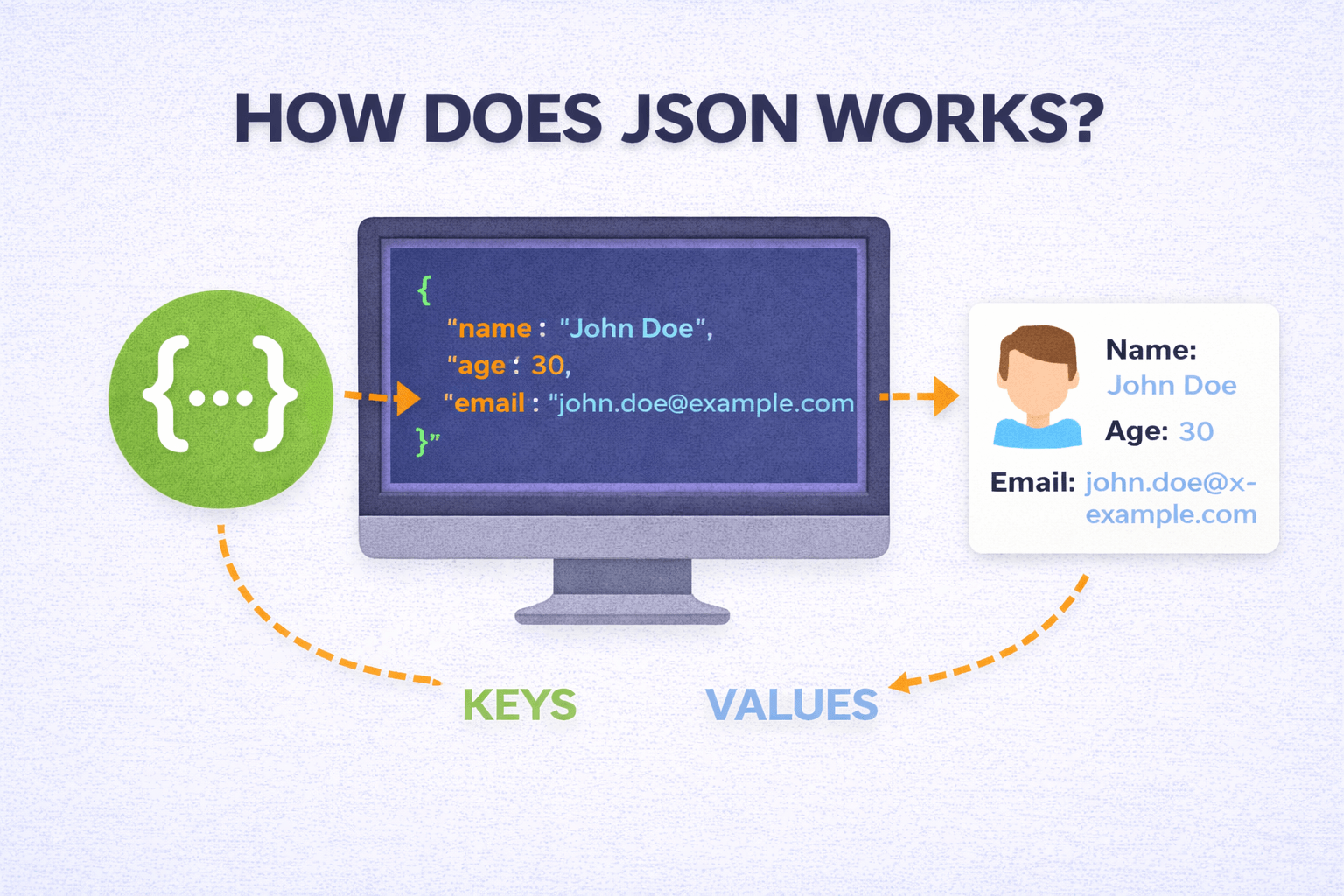
How Does JSON Work?
JSON shows up everywhere: API responses, configuration files, browser storage, and data exchanged between services.
At a high level, JSON works as a repeatable cycle. One system serializes an in memory object into a JSON string, sends or stores that text, and another system parses the string back into native data structures.
This guide covers the full picture: JSON structure, how serialization and parsing work internally, how JSON travels over networks, the syntax rules that cause most errors, and where JSON fits compared to other formats.
What JSON Is and Why It Exists
JSON stands for JavaScript Object Notation, but it is language agnostic. Every major programming language can generate and parse it.
JSON origins
JSON grew out of frustration with XML in the early 2000s. Web developers needed a lightweight way to exchange structured data between browsers and servers, and XML was verbose, slow to parse, and tedious to write by hand.
Douglas Crockford helped popularize JSON by pointing out that JavaScript already had a clean object literal syntax that could be used as a practical data format. Once it was formalized, adoption spread quickly.
Core concept
JSON represents structured data as plain text using a small set of rules. Any system that can read text can receive JSON, and any system that understands the rules can parse it into native data structures.
This simplicity is why JSON replaced XML for most web communication. At scale, fewer bytes on the wire and faster parsing time add up.
The Building Blocks of JSON
JSON has remarkably small structural element set. Only three: objects, arrays, and primitive values.
Everything seen in JSON document built from these pieces.
Objects
Object represents collection of key-value pairs wrapped in curly braces.
Keys must be strings (always in double quotes). Values can be any valid JSON type:
{
  "name": "Imad",
  "age": 21,
  "isStudent": true
}
Objects represent JSON workhorses. Map directly to dictionaries in Python, HashMaps in Java, objects in JavaScript, and similar associative data structures in virtually every language.
Keys should be unique within an object. While the JSON specification does not strictly forbid duplicate keys, parsers handle them inconsistently (some take the last value, some take the first, and some throw errors). In practice, treat duplicate keys as a bug and avoid them.
Arrays
Array represents ordered list of values wrapped in square brackets:
{
  "colors": ["red", "green", "blue"]
}
Values in array can be any type. Can even be mixed (string next to number next to object).
Mixing types generally bad idea for maintainability. Order preserved, duplicates allowed.
Arrays represent lists, collections, sequences, or any ordered item sets. Map naturally to arrays and lists in every programming language.
Primitive Values
JSON supports four primitive types:
Strings wrapped in double quotes.
Single quotes not valid JSON. Special characters like newlines, tabs, backslashes must be escaped (
\n\t\\Numbers can be integers or floating point. Leading zeros aren't allowed (so
0070.7Booleans are either
truefalseTrueTRUEyesNull represents an empty or missing value. It's written as
nullThat's the complete type system. No dates (they're stored as strings), no functions, no undefined, no comments. This minimalism is deliberate. The fewer special cases a parser needs to handle, the faster and more reliable it can be.
How Serialization Works
Serialization is the process of converting an in memory data structure (like a Python dictionary or a JavaScript object) into a JSON text string.
Why can't you just send the in memory object directly? Because memory layouts are different between languages, between operating systems, and even between different versions of the same runtime. A Python dictionary stored in memory looks nothing like a Java HashMap in memory. You need a common format that both sides can understand.
That's what serialization gives you. It takes whatever native data structure you have and turns it into a standardized text string that follows JSON rules.
What Happens During Serialization
When you call
JSON.stringify()json.dumps()- It examines each property or key in the object
- It converts keys into JSON formatted strings (double quoted)
- It inspects each value and converts it according to its type: strings get quoted, numbers stay as is, booleans become /
true, null becomesfalse, nested objects and arrays get recursively serializednull - It assembles everything into a single text string following JSON syntax
Here's a concrete example in JavaScript:
const user = { name: "Imad", age: 21, active: true };
const jsonString = JSON.stringify(user);
// Output: '{"name":"Imad","age":21,"active":true}'
The output is a flat string. All the structure is represented through syntax characters: braces, brackets, colons, commas, and quotes. This string can be stored in a file, sent over a network, or written to a database.
What Gets Lost During Serialization
Not everything survives the trip. Functions, class methods, circular references, and language specific types like Python's
setundefinedThis is worth knowing because it occasionally causes confusing bugs. If you serialize a JavaScript object that has a property set to
undefinedHow Parsing (Deserialization) Works
Parsing is the reverse. You take a JSON text string and convert it back into a native data structure that your code can work with.
What Happens During Parsing
When you call
JSON.parse()json.loads()-
Tokenization: The parser breaks the string into meaningful tokens. An opening brace becomes an "object start" token, a quoted string becomes a "string" token, a number becomes a "number" token, and so on.
-
Syntax validation: As tokens are read, the parser checks that they follow JSON grammar rules. Is there a colon after every key? Is there a comma between values? Are all strings properly quoted? If anything is wrong, parsing fails with an error.
-
Tree construction: Valid tokens are assembled into a parse tree that represents the hierarchical structure of the data.
-
Type conversion: JSON types get mapped to native language types. JSON strings become language strings, JSON numbers become integers or floats, JSON booleans become native booleans, and so on.
-
Output: The final result is a usable native data structure, a dictionary in Python, an object in JavaScript, a map in Go.
Here's JavaScript:
const jsonString = '{"name":"Imad","age":21}';
const user = JSON.parse(jsonString);
console.log(user.name); // "Imad"
And Python:
import json

json_string = '{"name": "Imad", "age": 21}'
user = json.loads(json_string)
print(user["name"])  # "Imad"
Because JSON grammar is intentionally simple, parsing is computationally cheap. Most parsers can handle megabytes of JSON in milliseconds. This efficiency is a big reason JSON became the default for high throughput API communication.
How JSON Travels Across Networks
The most common way JSON moves between systems is through HTTP, specifically through REST APIs.
The Typical Request/Response Cycle
Here's what happens when your browser or app communicates with a server using JSON:
-
The client constructs a request. If it's sending data (like a form submission), it serializes the data into a JSON string and puts it in the request body.
-
The request includes a header:
. This tells the server what format the body is in.Content-Type: application/json -
The server receives the request, reads the body, and parses the JSON string into a native data structure.
-
The server processes the request (queries a database, runs some logic, whatever it needs to do).
-
The server constructs a response object, serializes it into JSON, and sends it back with
.Content-Type: application/json -
The client receives the response, parses the JSON, and uses the data in its UI or logic.
Here's what a complete REST interaction looks like:
Client sends:
POST /users HTTP/1.1
Content-Type: application/json

{
  "name": "Imad",
  "email": "imad@example.com"
}
Server responds:
HTTP/1.1 201 Created
Content-Type: application/json

{
  "id": 42,
  "name": "Imad",
  "email": "imad@example.com",
  "createdAt": "2025-03-01T10:30:00Z"
}
This cycle repeats for virtually every interaction in a modern web application. Loading a page, submitting a form, fetching search results, updating settings, all of it follows this same pattern with JSON as the data carrier.
In the browser, the
fetchfetch("/api/post")
.then(response => response.json())
.then(data => console.log(data));
The
.json()Working with Nested Structures
JSON supports arbitrarily deep nesting of objects and arrays, and this is one of its most useful features for representing complex real world data.
{
  "user": {
    "name": "Imad",
    "skills": [
      { "name": "JavaScript", "level": "advanced" },
      { "name": "Next.js", "level": "intermediate" }
    ],
    "address": {
      "city": "Lahore",
      "country": "Pakistan"
    }
  }
}
When a parser processes this, it works recursively. It encounters the outer object, then encounters the
userskillsAccessing deeply nested values in code looks like this:
const city = data.user.address.city; // "Lahore"
const firstSkill = data.user.skills[0].name; // "JavaScript"
The flexibility to nest objects and arrays to any depth is what allows JSON to represent complex relational data in a single document. User profiles with address histories, product catalogs with category hierarchies, API responses with pagination metadata, all of these work naturally with nested JSON.
The tradeoff is that very deeply nested structures can be harder to read and more cumbersome to work with. If you find yourself going more than 3 or 4 levels deep regularly, it might be worth flattening your data structure or splitting it across multiple API endpoints.
JSON Syntax Rules (The Ones That Actually Trip People Up)
JSON's grammar is strict, and most parsing errors come from violating one of these rules:
Strings must use double quotes. Single quotes are valid JavaScript but invalid JSON. This catches a lot of people who write JSON by hand.
// Invalid
{ 'name': 'Imad' }

// Valid
{ "name": "Imad" }
No trailing commas. JavaScript lets you put a comma after the last item in an array or object. JSON does not.
// Invalid
{ "name": "Imad", "age": 21, }

// Valid
{ "name": "Imad", "age": 21 }
No comments. There's no way to add comments in standard JSON. No
///* */Numbers can't have leading zeros.
0070.7000701Property names must be quoted. In JavaScript you can write
{ name: "Imad" }{ "name": "Imad" }No undefined, no NaN, no Infinity. These JavaScript concepts don't exist in JSON. Use
nullStrict rules like these can feel annoying when you're writing JSON by hand, but they're exactly why parsing is so reliable. Every parser in every language interprets the same JSON string the same way. There's no ambiguity.
Cross Language Compatibility
One of JSON's greatest strengths is that it works identically across programming languages. A JSON string generated by a Python script can be parsed by a Java application, which can modify the data and send it to a Go microservice, which can forward it to a JavaScript frontend. At no point does anyone need to worry about format compatibility.
This works because every major language provides a JSON library that maps JSON types to native equivalents:
| JSON Type | JavaScript | Python | Java | Go | C# |
|---|---|---|---|---|---|
| Object | Object | dict | HashMap/Object | map/struct | Dictionary |
| Array | Array | list | ArrayList | slice | List |
| String | string | str | String | string | string |
| Number | number | int/float | int/double | int/float64 | int/double |
| Boolean | boolean | bool | boolean | bool | bool |
| Null | null | None | null | nil | null |
The function names vary (
JSON.parsejson.loadsJackson.readTreeThis universal compatibility is the foundation that makes microservice architectures work. You can have dozens of services written in different languages, all communicating through JSON over HTTP, and it just works.
Performance Characteristics
JSON is efficient enough for the vast majority of use cases, but it's worth understanding where the performance costs are.
Parsing speed depends on the parser implementation, the size of the payload, and the depth of nesting. For typical API responses (a few kilobytes), parsing takes microseconds. For multi megabyte files, it can take tens to hundreds of milliseconds. Most parsers load the entire JSON string into memory at once, which means very large files (hundreds of megabytes or gigabytes) can cause memory issues. Streaming parsers exist for those cases but require more complex code.
Serialization speed is generally faster than parsing because the serializer is working with known data structures (it doesn't need to validate syntax). Still, deeply nested objects with many properties take longer to serialize than simple flat structures.
Payload size is where JSON's text based nature has a cost. Every key name, every quote character, every brace and bracket is part of the payload. In contrast, binary formats like Protocol Buffers or MessagePack use integer field identifiers and compact binary encoding, resulting in payloads that are 30 to 70% smaller for the same data.
For most web applications, JSON's performance is more than good enough. The situations where binary alternatives make sense are typically high throughput internal services processing millions of messages per second, or bandwidth constrained environments like IoT devices. For public APIs and general web development, JSON's readability and compatibility far outweigh the modest performance overhead.
JSON vs Binary Formats
Since we're on the topic of performance, it's worth briefly comparing JSON to the binary alternatives you'll see mentioned in performance discussions.
Protocol Buffers (Protobuf), developed by Google, use a schema definition file and compile to language specific code. They produce much smaller payloads and parse faster, but require the schema to be shared between producer and consumer. You can't just open a Protobuf message in a text editor and read it.
MessagePack is essentially binary JSON. It supports the same types but encodes them more compactly. It's a good middle ground between JSON's readability and Protobuf's efficiency.
BSON (Binary JSON) is used internally by MongoDB. It extends JSON's type system with things like dates and binary data, stored in a binary format for efficient database operations.
All of these formats are faster and more compact than JSON for raw data transfer. But JSON remains dominant for one reason: you can read it. When something goes wrong with a Protobuf message, you need special tooling to inspect it. When something goes wrong with JSON, you paste it into any text editor and the problem is usually obvious within seconds.
For debugging, logging, documentation, and human understanding, that readability is worth the performance tradeoff in the vast majority of cases.
JSON Validation and Schema
By default, JSON doesn't enforce any structure. A parser will happily accept a response where a field that should be a number is actually a string. It checks syntax (are the braces matched? are strings quoted?) but not semantics (is this the right shape of data?).
For production systems, that's not good enough. You need a way to define what valid data looks like and reject anything that doesn't match.
JSON Schema is the standard solution. It's a vocabulary (itself written in JSON) that lets you describe the expected structure of your data:
{
  "type": "object",
  "required": ["name", "email"],
  "properties": {
    "name": { "type": "string", "minLength": 1 },
    "email": { "type": "string", "format": "email" },
    "age": { "type": "integer", "minimum": 0 }
  }
}
With a schema like this, you can validate incoming JSON before processing it. If someone sends a request where
nameageSecurity Considerations
JSON itself is safe to parse. Modern parsers don't execute code, they just interpret text into data structures. But there are still security considerations worth knowing.
Never use eval() to parse JSON. In older JavaScript code, you'll occasionally see
eval()evalevalJSON.parse()Validate before trusting. Just because data arrives as valid JSON doesn't mean it's safe to use. Always validate the contents against expected types and ranges before acting on it. A JSON payload could contain a SQL injection string, an XSS payload, or simply wrong data types that crash your application.
Watch for large payloads. An attacker could send an extremely large JSON payload to exhaust your server's memory. Set reasonable size limits on incoming request bodies.
Be careful with deeply nested data. Some parsers can be crashed or slowed significantly by JSON with extreme nesting depth (thousands of levels). Set a reasonable nesting limit if your parser supports it.
JSON in Databases
Modern databases have embraced JSON as a storage format, blurring the line between relational and document based data models.
PostgreSQL has native
jsonjsonbMongoDB stores everything as BSON (Binary JSON). The entire data model is built around JSON like documents, which makes it natural for applications that already think in terms of JSON objects.
MySQL also has a JSON column type with functions for querying and modifying JSON data within SQL statements.
This trend toward JSON native storage means you can sometimes go from API request to database to API response without ever converting the data into a different format. The same JSON structure flows through the entire stack, reducing transformation overhead and simplifying debugging.
The Complete Lifecycle
Zooming out, here's the full picture of how JSON works in a typical application:
- Data exists in memory as native objects, dictionaries, arrays, or whatever the language uses
- Serialization converts that data into a JSON text string following standardized syntax rules
- Transmission sends that string over a network (HTTP, WebSocket, message queue), or writes it to a file or database
- Reception at the other end, a system receives the raw text
- Parsing validates the syntax and converts the text back into native data structures
- Processing the application uses the data however it needs to
This cycle is the backbone of modern web architecture. It happens billions of times per day across every API call, every configuration file load, every real time notification, and every database query that touches JSON data.
Understanding this lifecycle in depth helps you design cleaner APIs, write more efficient serialization code, debug parsing errors faster, and ultimately build more reliable software.
Related Articles
- When JSON Was Invented and Who Created It for the history behind the format
- How JSON Powers Everything for how JSON shows up across modern apps and tools
- JSON vs XML vs YAML for a practical comparison of the three formats
- JSON Merger for combining multiple JSON files in the browser
Read More
All Articles
How JSON Powers Everything: The Hidden Force Behind Modern Web Applications
Learn how JSON powers modern web applications, APIs, and online tools. Discover why JSON became the universal data format and how it enables everything from file converters to real-time applications.
When JSON Was Invented and Who Invented It: Origins, Timeline, and Key Contributors
Discover the complete history of JSON invention by Douglas Crockford. Learn about JSON's origins in early 2000s, timeline of development, standardization process, and how it revolutionized web development and data exchange.
JSON vs XML vs YAML: Complete Comparison Guide for Developers in 2026
Detailed comparison of JSON vs XML vs YAML covering syntax, performance, readability, use cases, security, and real world examples to help you choose the right data format.